ADVERTISEMENT


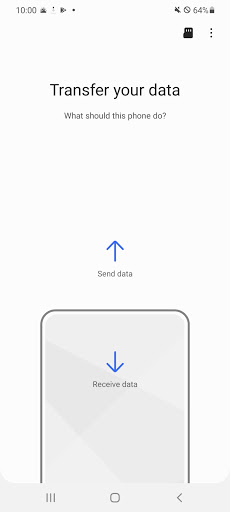
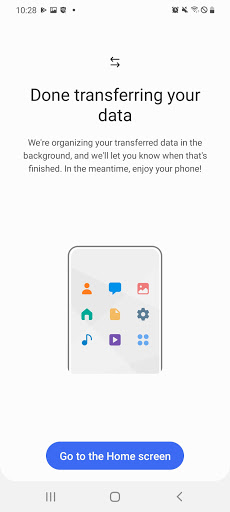
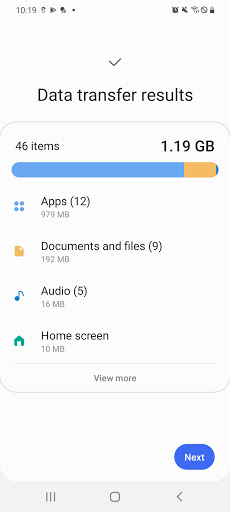
The Samsung Smart Switch Mobile app continues to enhance user experiences with its seamless data transfer capabilities. In this latest update, the app ensures greater compatibility with a wider range of devices – allowing users to switch from both Android and iOS systems to their new Galaxy devices with ease. It has optimized its data transfer speed, making it faster to move your essential information, and there have been enhancements to the app's interface to make the process more user-friendly and intuitive. The update also addresses minor bugs for improved performance.
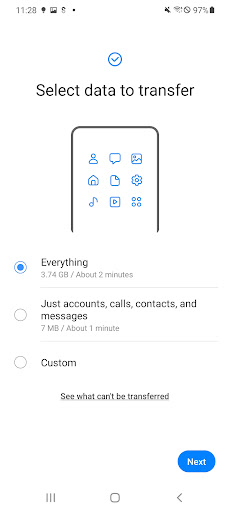
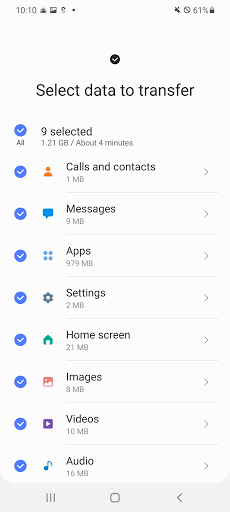
1. **Comprehensive Data Transfer**: The Samsung Smart Switch Mobile app stands out by offering a broad spectrum of data transfer options, including contacts, music, photos, calendar events, text messages, device settings, and more. This ensures you don't leave behind important data when transitioning to a new device.
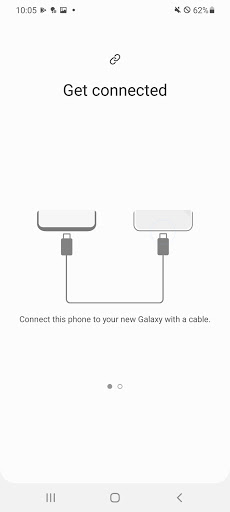
2. **Cross-Platform Functionality**: Whether you're moving content from Android (5.0 or higher) or iOS devices, the app provides multiple options such as wired transfer, iCloud import, and PC/Mac transfer using iTunes. This versatility makes it a go-to solution for users across different platforms.
3. **App Recommendation**: Not only does the app migrate your personal data, but it also helps you discover your favorite apps on your new device, even suggesting similar apps available on Google Play for a seamless transition in your app usage.
4. **Extensive Device Support**: The app is compatible with a wide variety of devices, from recent Galaxy phones and tablets to models from HTC, LG, Sony, Huawei, and more. This broad support means more users can benefit from the easy setup process when switching devices.
5. **User-Friendly Interface**: Samsung Smart Switch Mobile is designed with a straightforward, intuitive interface that guides users through every step of the data migration process, making it accessible even for those who are not tech-savvy.
1. **Fast and Efficient**: The app is renowned for its fast data transfer capabilities, often completing migrations quicker than many competitors, saving users time and hassle during device upgrades.
2. **Comprehensive Data Coverage**: With the ability to transfer a wide range of data types, the Samsung Smart Switch Mobile app provides a thorough migration experience, minimizing the need to manually set up a new device.
3. **Versatile Transfer Options**: It offers flexible transfer methods to accommodate different user preferences and device limitations, such as wired connections and cloud transfers.
4. **High Compatibility**: Its support for a diverse array of devices, coupled with regular updates, ensures continued compatibility and functionality across many Android and even iOS devices.
5. **Free to Use**: One of the most compelling advantages of the app is that it is completely free to download and use, providing excellent value to users who want a cost-free solution to transfer data.
1. **Device-Specific Limitations**: Despite its broad support, some devices face compatibility issues, causing occasional installation or usage problems, which can be frustrating for users expecting a seamless experience.
2. **Limited App Data Transfer to Non-Galaxy Devices**: The ability to carry over app data and home layouts is predominantly limited to Galaxy devices, which limits full migration capabilities for users switching to other Android brands.
3. **DRM Restrictions**: The app does not support the transfer of DRM-protected music or videos, which can limit the type of media content users are able to bring over to their new device.
As someone who frequently assists with device transitions, I can affirm that the Samsung Smart Switch Mobile app is an invaluable tool. Its straightforward interface makes it easy to navigate, even for users who aren't technologically inclined. The speed of transfer is impressive, and with no additional cost, it truly is a standout among similar apps. The diverse range of data it supports, including contacts, calendars, photos, and even settings, means users can pick up their new devices with minimal disruption. My main critique would be its limitations regarding device compatibility and DRM-protected files. However, for most standard users, these issues are unlikely to overshadow the app's many strengths. Overall, I highly recommend downloading and installing the Samsung Smart Switch Mobile app for anyone looking to upgrade their devices smoothly.
- **How do I download Samsung Smart Switch Mobile?**
You can download Samsung Smart Switch Mobile from Google Play Store or the Samsung app store on your device. Simply search for "Samsung Smart Switch Mobile" and follow the installation prompts.
- **Can I use the app to transfer data from my iOS device?**
Yes, the app provides several iOS transfer options, including using a wired connection with a USB connector, importing data from iCloud, or using iTunes and Smart Switch software on a PC/Mac.
- **Is there a cost associated with using the app?**
No, the Samsung Smart Switch Mobile app is free to download and use, making it a cost-effective solution for transferring data between devices.
- **What if my non-Samsung device disconnects from Wi-Fi during transfer?**
If you encounter connectivity issues, you may need to adjust your device's Wi-Fi settings by disabling the “Wi-Fi initialize” and “Disconnect low Wi-Fi signal” options in the Advanced Wi-Fi settings, though availability of these options depends on your device's manufacturer and OS version.
- **Are all types of media files transferable?**
No, while you can transfer most photos and videos, DRM-protected content cannot be transferred using the Smart Switch app.
Whether you're a current Android user or switching from an iOS device, the Samsung Smart Switch Mobile app eases the process of bringing your data to your new Galaxy device, ensuring that your information remains intact and accessible right from the start.