ADVERTISEMENT
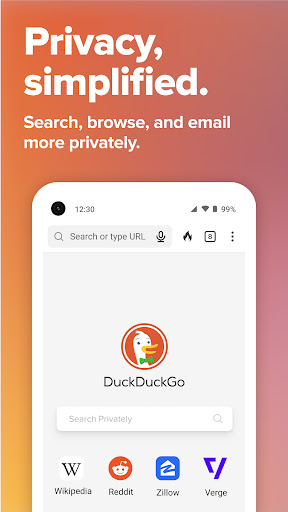
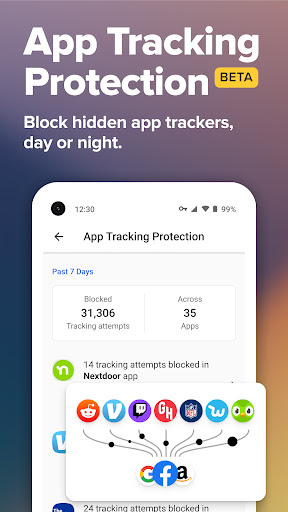
Welcome to the DuckDuckGo Private Browser app—your all-in-one online privacy solution that continues to enhance its features with every update. As of the latest release, DuckDuckGo has fortified its third-party tracker blocking capabilities, ensuring your browsing session remains as private and secure as possible. Users can now enjoy an even more seamless experience with the introduction of App Tracking Protection, a revolutionary feature that prevents hidden app trackers from invading your device's privacy. Whether you are using Android or iOS, the DuckDuckGo Private Browser app adapts to all platforms, maintaining its high standards for user privacy.
The free DuckDuckGo Private Browser app is an innovative tool offering numerous features not found in most popular browsers. Here are five key features that make it indispensable:
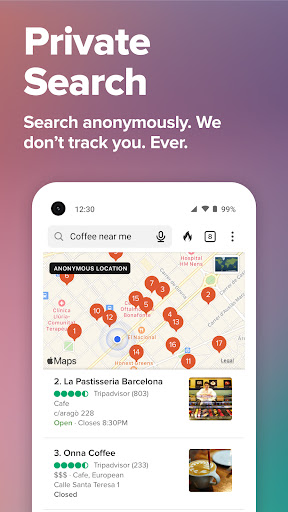
1. **Search Privately by Default**: With DuckDuckGo Private Search integrated, you can perform web searches without any tracking. Forget about installing extensions or making complex settings adjustments; just download the DuckDuckGo Private Browser, and enjoy effortless private browsing.
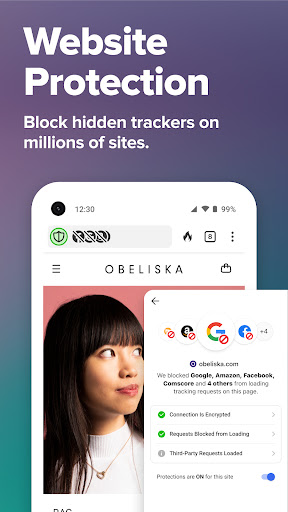
2. **Block Most Trackers Before They Load**: Our 3rd-Party Tracker Loading Protection outperforms the default settings of most browsers. This means that when you search or browse, your digital footprint remains untraceable by pesky trackers that are otherwise difficult to manage.
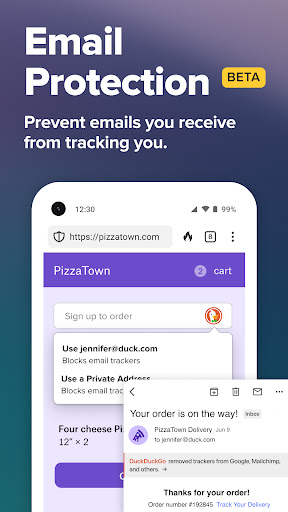
3. **Enable Built-in Email Protection**: Want added privacy when handling your emails? DuckDuckGo's Email Protection blocks most email trackers and allows you to use @duck.com addresses to disguise your email identity.
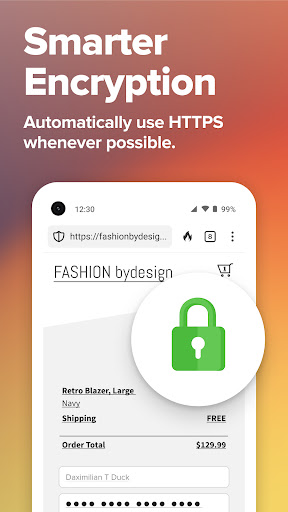
4. **Automatically Enforce Encryption**: The app enforces the use of HTTPS connections, ensuring your data is shielded from prying eyes on unsecured networks. It’s like installing an extra layer of armor on your browser without needing to do anything.
5. **Protect Your Privacy in Other Apps**: The App Tracking Protection feature is designed to block hidden app trackers that attempt to monitor your mobile activities. Although it utilizes a VPN connection, it doesn't function as a traditional VPN and does not collect your data, keeping the operation entirely on your device.
- **Comprehensive Privacy Protections**: Unlike other browsers, the DuckDuckGo Private Browser apk comes with robust privacy settings from installation, ensuring every session is private by default.
- **User-Friendly Interface**: Its interface is designed to be simple and easy to navigate, making it accessible for both tech-savvy users and beginners. It’s incredibly straightforward to download, install, and begin safeguarding your sessions.
- **All-around Compatibility**: Whether you prefer Android or iOS, you can easily install DuckDuckGo Private Browser and enjoy seamless protection across devices.
- **Regular Updates and Support**: With regular updates, DuckDuckGo ensures their features are up-to-date with the latest privacy threats, adding new layers of protection with each iteration.
- **No Prior Setup Required**: From the moment you download and install the DuckDuckGo Private Browser, its strong privacy measures enable immediate protection without requiring any preliminary setup or logins.
- **Limited Add-ons or Extensions**: Unlike some other major browsers, DuckDuckGo doesn’t support a wide range of add-ons or plug-ins, which might limit additional functionality for some users.
- **Not a Full VPN Solution**: While it offers App Tracking Protection through a VPN connection, users seeking a comprehensive VPN will find DuckDuckGo's offerings less extensive.
- **May Lack Some Advanced Features for Tech Enthusiasts**: Users who require high customizability for browsing preferences may find the lack of advanced, customizable options slightly restrictive.
After exploring the features and settings of the DuckDuckGo Private Browser app, I find it to be a remarkable tool for anyone prioritizing privacy. The app positions itself as a leader in private browsing technologies, ensuring comprehensive protection without any added complexity. Its intuitive design allows anyone to download and install the DuckDuckGo Private Browser on Android or iOS devices with minimal hassle. I particularly appreciate how the app employs several layers of encryption and tracker blockers to shield users from intrusive data-scraping practices.
The fact that you start with robust privacy settings without logging in makes it brilliant for those less familiar with modifying tech settings. Advanced users might miss deeper customization, but for most people, the app strikes a hauntingly perfect balance between security and simplicity. Whether you are aiming to escape targeted advertising or simply wish to enhance your digital security, DuckDuckGo provides an easy and effective solution.
**Q1: How do I download the DuckDuckGo Private Browser app?**
A1: You can download the DuckDuckGo Private Browser from the Google Play Store for Android or the Apple App Store for iOS. Simply search for "DuckDuckGo" and tap install.
**Q2: Does the DuckDuckGo Private Browser app cost money?**
A2: The DuckDuckGo Private Browser app is completely free. However, for those interested in the Privacy Pro package, additional features like a VPN and identity theft restoration services are available for a subscription fee.
**Q3: How does DuckDuckGo protect my privacy?**
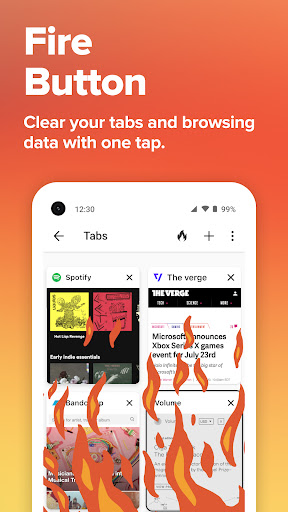
A3: The app blocks trackers, enforces encryption, and prevents companies from tracking your searches and browsing sessions. It also offers a powerful email protection service that hides your email identity.
**Q4: Can I use DuckDuckGo Private Browser on multiple devices?**
A4: Yes, you can use it on multiple devices. However, features like the VPN offered under Privacy Pro are restricted to a specific number of devices.
**Q5: What is App Tracking Protection?**
A5: App Tracking Protection is a feature that blocks hidden trackers in your apps, preventing third-party companies from invading your privacy. It works through a VPN connection locally on your device without collecting personal data.