ADVERTISEMENT


The My Spectrum app is continually evolving to meet the growing needs of its users. With the latest updates, the app has become more intuitive and feature-rich, ensuring a streamlined experience for all residential customers. Whether you are using an Android or iOS device, the app's consistent updates have enhanced its functionality and ease of use. Key updates include improvements in the user interface, giving it a sleek and modern look that simplifies navigation. The addition of enhanced notifications ensures that you receive real-time updates about your account, including billing, service status, and network outages. These updates make it even easier for users to manage their Spectrum services on the go, solidifying the My Spectrum app as a vital tool for managing your digital life.
The My Spectrum app is crafted to offer a comprehensive suite of features that cater to a variety of service management needs:
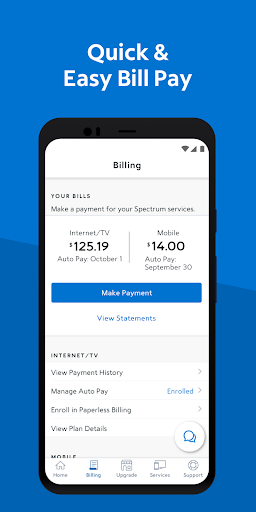
1. **Bill Management**: The app allows you to manage your finances efficiently by paying your bills directly for Spectrum Mobile, Internet, TV, and Home Phone services. You can opt for Auto Pay to ensure you never miss a due date or schedule one-time payments at your convenience. Furthermore, the My Spectrum app supports paperless billing, helping you to reduce clutter and stay environmentally conscious. The app also provides easy access to review past billing statements and service history.
2. **Language Options**: With a diverse user base in mind, the My Spectrum apk caters to both English and Spanish speakers. You can effortlessly toggle between the two languages within the app, ensuring a comfortable and accessible experience for more users.
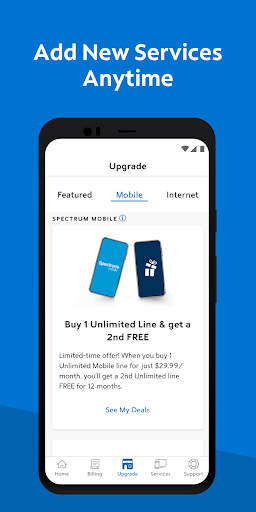
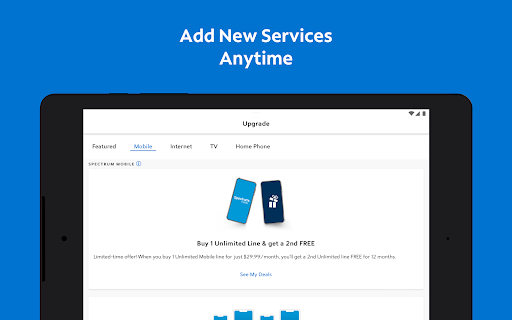
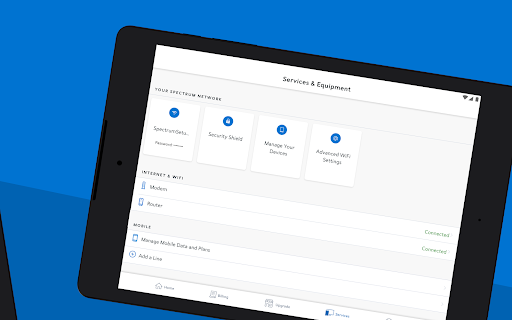
3. **Mobile Service Management**: Gain full control over your Spectrum Mobile services. Track and manage your data usage and plans effortlessly. The app also supports adding and activating new mobile lines, making it easier than ever to expand your mobile coverage.
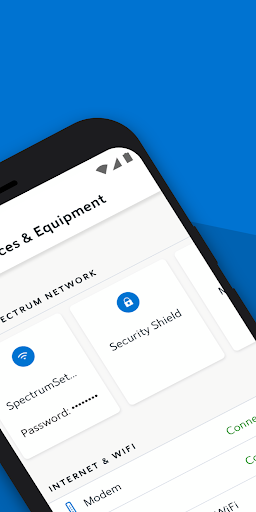
4. **Notifications and Connectivity**: Stay informed with timely billing, equipment, outage, and activation notifications displayed prominently on your home screen. The app also offers the option to upgrade to Advanced WiFi with top-tier security features and facilitates WiFi troubleshooting with a dual Speed Test function. Furthermore, you can easily locate the nearest Spectrum store or connect to nationwide Spectrum WiFi access points.
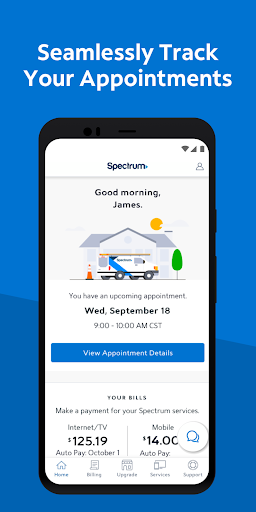
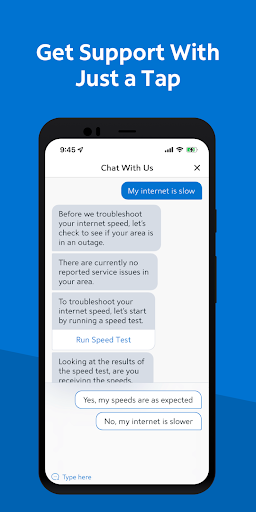
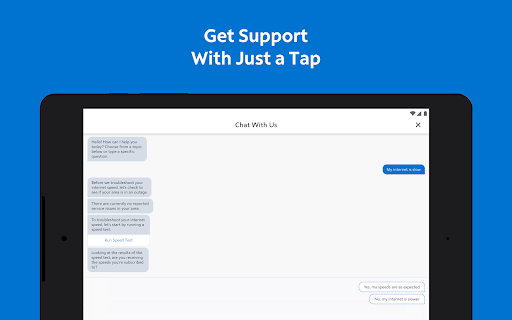
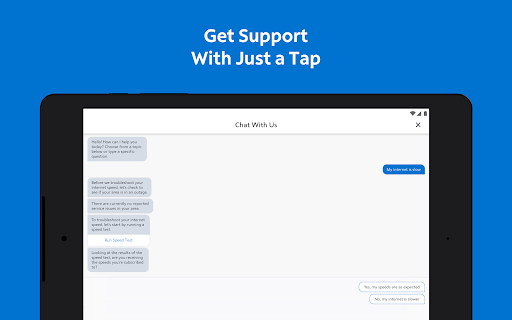
5. **Support and Feedback**: Simplify support with self-installation guides for modems, routers, and other devices, eliminating the need for service appointments. Engage with live customer service through an in-app chat or track your service technician’s progress. The support section is newly designed, allowing you to quickly find answers to common questions without a call. Plus, provide feedback on your app experience to help shape future updates.
The My Spectrum app presents several advantages:
1. **Convenience and Control**: Offering everything from bill management to service updates, the app centralizes your Spectrum account management into a single, easy-to-use platform.
2. **User-Friendly Design**: Thanks to its recent updates, the app features an intuitive and responsive design that adapts to both Android and iOS devices.
3. **Bilingual Support**: With language settings, the app broadens accessibility, catering to both English and Spanish-speaking users.
4. **Comprehensive Support Resources**: The app provides robust customer support tools, including live chat and detailed self-install guides, enhancing user independence.
5. **Feedback Integration**: Actively incorporating user feedback into its design and functionality makes the My Spectrum app responsive to customer needs and continuously improving.
Despite its numerous advantages, the My Spectrum app has some limitations:
1. **Device Compatibility**: While the app is available on both Android and iOS platforms, some functionalities might perform differently across devices due to software version discrepancies.
2. **Potential Technical Issues**: Like any digital application, users may occasionally encounter bugs or glitches that affect performance.
3. **Internet Dependency**: Many functions of the app require a stable internet connection, which may be challenging in areas with poor connectivity.
From my perspective, the My Spectrum app stands out as an essential tool for anyone using Spectrum services. Its comprehensive suite of features, from seamless bill payments to robust account management options, offers users a high degree of convenience and control. The user interface is both aesthetically pleasing and functionally practical, making navigation intuitive for all users. What truly sets the app apart is its commitment to continuous improvement—by integrating user feedback and updating features to match evolving customer needs, Spectrum ensures the app remains relevant and effective.
Language options enhance its accessibility, while its robust suite of support tools empowers users to solve issues independently, reducing the dependency on customer service calls. However, it's essential to consider that a stable internet connection is necessary for optimal app performance, which might not always be available to all users.
Overall, the My Spectrum app impresses with its breadth of features and convenience, solidifying itself as an invaluable resource for managing Spectrum services seamlessly.
1. **How can I download My Spectrum app on Android and iOS?**
The My Spectrum app is available for free download from the Google Play Store for Android users and the Apple App Store for iOS users. Simply search for "My Spectrum" and proceed with the installation process.
2. **How do I login to My Spectrum app?**
After downloading My Spectrum, open the app and use your Spectrum ID and password to log in. If you haven't created an account, you can do so directly within the app.
3. **Can I manage all my Spectrum services through the app?**
Yes, the My Spectrum app allows you to manage all your Spectrum services, including Mobile, Internet, TV, and Home Phone, all from your mobile device.
4. **Is there any cost associated with using the My Spectrum app?**
The My Spectrum app is entirely free to download and use for Spectrum customers. However, standard data charges may apply depending on your mobile plan.
5. **How can I provide feedback about the app?**
You can submit feedback directly through the app under the feedback section. Spectrum values user insights and uses them to enhance app updates.
6. **What should I do if the app crashes or is unresponsive?**
First, ensure your app is updated to the latest version. If issues persist, try restarting your device or reinstalling the app. For further support, contact Spectrum customer service through the app.
In summary, the My Spectrum app serves as a convenient and powerful tool for Spectrum users, offering a range of features to manage services effortlessly. It embodies a commitment to customer-centric design and function, making it a quintessential part of managing digital lifestyles.