ADVERTISEMENT


Welcome to Signal Private Messenger, the app where your conversations remain truly private. Signal has consistently evolved to provide its users with cutting-edge privacy and security features, focusing on delivering a seamless messaging experience. The latest updates have introduced several enhancements to bolster functionality and security.
Recent updates to Signal Private Messenger include improved group call stability, now supporting up to 40 participants with crystal-clear audio and video quality. Additionally, Story sharing gets an upgrade, allowing users to manage who views their content with more granular privacy controls. Android and iOS users will notice optimized app performance, resulting in quicker load times and smoother navigation. If you haven't explored these features yet, consider a Signal Private Messenger download or update to experience the latest in secure communication.
Signal Private Messenger is celebrated for its robust privacy features and seamless communication capabilities. Below are five key features that set the Signal experience apart:
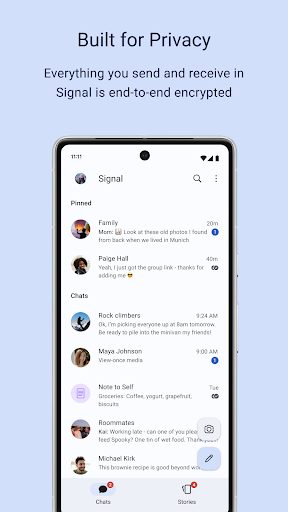
1. **End-to-End Encryption:** Every message and call is protected by the industry-leading Signal Protocol, ensuring that only you and the person you're communicating with can read or listen. Signal cannot access your messages or calls, making it a pinnacle of privacy.
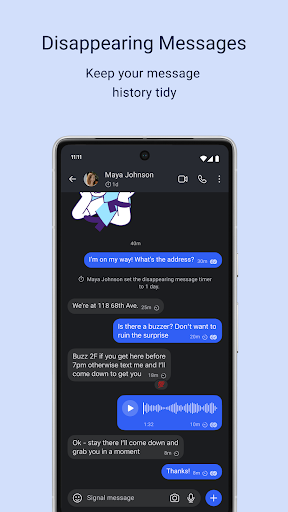
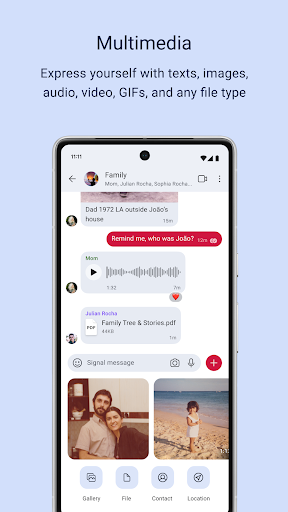
2. **Multimedia Messaging:** Send a variety of media and files, including text, voice messages, photos, videos, GIFs, and documents, all for free. Signal uses your internet connection, so there are no extra fees from your carrier for SMS or MMS.
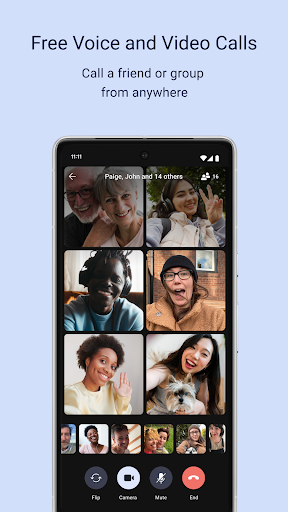
3. **Voice and Video Calls:** Enjoy secure voice and video calls with friends and family. Whether one-on-one or in a group of up to 40 people, the calls are encrypted and clear, making it ideal for both personal and professional communications.
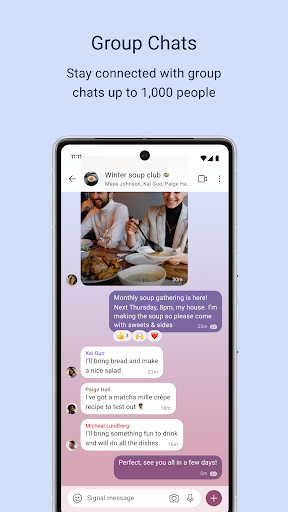
4. **Group Chats:** Organize conversations with up to 1,000 people in a single group chat. Customizable admin controls allow you to manage group members and permissions, facilitating organized, large-scale discussions.
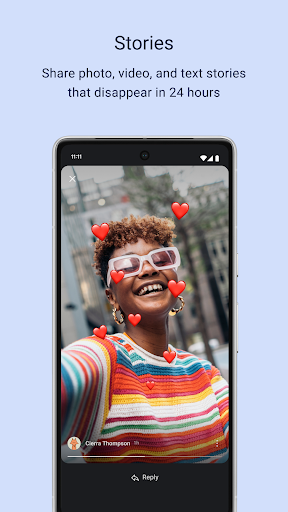
5. **Stories:** Share moments that disappear after 24 hours with Signal’s Story feature. These can include images, text, and videos, and come with customizable privacy settings to decide who can view your stories.
Choosing the Signal Private Messenger app offers numerous benefits, primarily centered around privacy and user experience:
1. **Uncompromised Privacy:** With no data collection, backdoors, or any third-party access, Signal is built to protect its users' privacy at all costs.
2. **Non-Profit Status:** Signal is a 501c3 nonprofit, meaning its operations are driven by user support and donations, not by advertisers or investors, ensuring aligned interests with its users.
3. **Open Source:** Signal's open-source design means anyone can inspect its code, promoting transparency and trustworthiness as users can verify its security protocols.
4. **Cross-Platform Availability:** With Signal Private Messenger download available for both Android and iOS, users can communicate seamlessly across different devices.
5. **Rich Communication Tools:** From high-quality voice and video calls to multimedia messaging and group chats, Signal provides an extensive suite of communication tools.
Despite its many advantages, there are a few areas where Signal does have limitations:
1. **Limited Ecosystem:** Compared to some competitors, Signal's ecosystem might seem less integrated, lacking expanded offerings such as built-in cloud storage or extensive third-party app integrations.
2. **Small User Base:** Although growing, Signal's user base is smaller compared to major messaging services, which might mean fewer of your contacts are on the platform.
3. **Resource Dependency:** As a nonprofit, Signal relies heavily on donations, which may impact the speed at which new features are developed and released compared to commercial competitors.
As someone who values privacy and security, I have found Signal Private Messenger to be an indispensable tool in my digital life. From the moment you install Signal Private Messenger, the commitment to confidentiality is apparent. The process of setting up and learning to navigate the app is intuitive, and the seamless Signal Private Messenger installation ensures a smooth transition from less secure messaging platforms.
I especially appreciate the clarity and quality of the calls. Whether I am catching up with friends or conducting business discussions, the voice and video calls are consistently reliable and crisp on both Android and iOS devices. Moreover, the group chat functionality is perfect for keeping in touch with large networks, with excellent admin controls to maintain order in discussions.
Signal’s Story feature adds a personal touch, allowing me to share fleeting moments without the permanence that often deters me from posting on other platforms. Knowing that my stories are protected by strong privacy controls offers peace of mind and encourages more personal engagement.
Overall, the Signal Private Messenger app exemplifies what a secure communication tool should offer. It's a must-download for anyone serious about their digital privacy, and I highly recommend giving it a try. Remember, to get started, simply install Signal Private Messenger by downloading it from the App Store or Google Play and complete the login Signal Private Messenger process.
**Q1: How do I download Signal Private Messenger?**
A: You can download Signal Private Messenger from the Google Play Store for Android devices or the Apple App Store for iOS devices. Simply search for "Signal Private Messenger" and click on "Install."
**Q2: Is Signal Private Messenger free to use?**
A: Yes, Signal is completely free to use. The core features, including messaging and calling, incur no cost. The app operates over your internet data, avoiding traditional SMS or MMS fees.
**Q3: How secure is Signal Private Messenger?**
A: Signal employs leading end-to-end encryption to ensure all messages and calls are secure and private. The app's open-source nature means the security measures are transparent and subject to community verification.
**Q4: Can I use Signal on my computer?**
A: Yes, Signal Desktop is available for Windows, Mac, and Linux systems. After installing the desktop app, you need to link it with your phone's Signal account to start using it.
**Q5: What permissions are required for installation?**
A: During installation, Signal will request access to your contacts (to facilitate calling and messaging), media files (for sharing photos and videos), and network connections (for internet-based communication).
Explore the privacy-first world of Signal by starting your Signal Private Messenger download today. With an easy-to-navigate interface and absolute commitment to security, Signal not only meets but exceeds the expectations of its privacy-conscious users.