ADVERTISEMENT


Welcome to the Opera Mini: Fast Web Browser app—an unrivaled browsing experience that keeps you connected while saving precious data. With the latest update, Opera Mini introduces improved compression algorithms that ensure blistering browsing speeds while conserving up to 90% of your phone data. Enhanced security measures provide industry-leading protection, and the user interface has received significant updates to enhance usability and customization. Whether you’re on Android or iOS, Opera Mini stands as a beacon of speed, security, and personalization, making it a must-have for those in search of a free and efficient browsing solution.
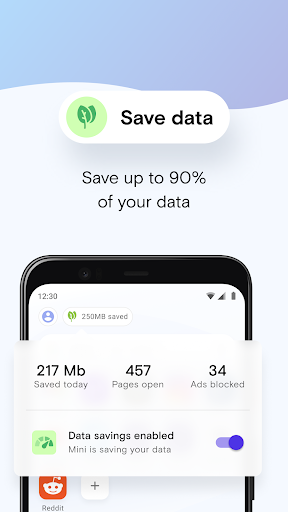
1. **Smart Data Saver**: With Opera Mini’s advanced compression technology, users can save up to 90% of mobile data without compromising the browsing experience. This feature makes it ideal for those with data limitations or those looking to reduce data consumption.
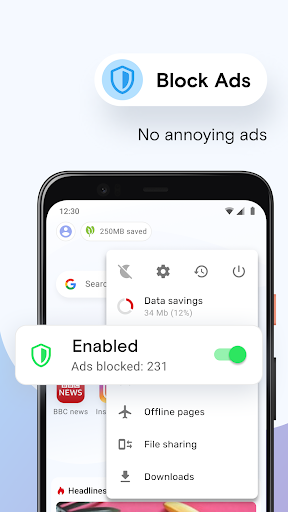
2. **Built-in Ad Blocker**: The Opera Mini: Fast Web Browser app comes with a native ad blocker, ensuring that you can browse without interruptions from intrusive ads. This not only speeds up page loading times but also enhances the overall browsing experience by removing clutter.
3. **Personalized Content**: Opera Mini’s personalized news feed provides quick access to local news, funny videos, and more delivered directly to your browser. Customize your feed to your liking, ensuring that you're always updated with content that matters to you.
4. **Fast and Secure Downloads**: With its smart downloader, Opera Mini scans websites quickly to identify downloadable content like videos and music. The download manager supports multiple files and offers a PIN-protected folder, ensuring your files remain private and secure.
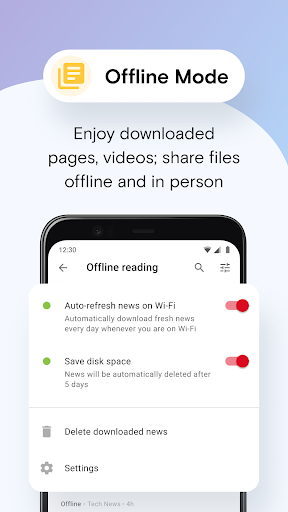
5. **Offline Mode and File Sharing**: This feature allows users to save news, stories, and web pages while connected so they can be read later offline, preserving data usage. Moreover, Opera Mini offers easy file sharing with friends and devices, facilitating a seamless browsing experience.
1. **Enhanced Privacy and Security**: Opera Mini provides a secure browsing experience with privacy protection features such as private tabs that ensure incognito browsing without leaving a trace.
2. **Efficient Data Usage**: The app’s ability to save up to 90% of data makes it one of the most efficient browsers for those looking to maximize their data plan.
3. **Customizable Interface**: With options to customize wallpapers, shortcuts, and layouts, users can tailor the Opera Mini: Fast Web Browser app to fit their personal style and preferences.
4. **Fast Web Access**: The use of local Opera data centers delivers some of the fastest and most reliable web connections, regardless of your device or location.
5. **Multi-Platform Support**: Opera Mini is available for both Android and iOS devices, allowing for a wide range of compatibility and ease of use across platforms.
1. **Limited Extension Support**: Unlike desktop counterparts, mobile versions like Opera Mini have limited support for browser extensions, which may be a downside for those who rely heavily on specific add-ons for functionality.
2. **Occasional Compatibility Issues**: Some websites may not display perfectly due to the app’s aggressive data compression techniques, which can affect user experience slightly.
3. **Ad Blocker Inconsistencies**: While the built-in ad blocker is generally effective, some users might occasionally find ads creeping through, requiring manual intervention.
Having spent considerable time exploring the Opera Mini: Fast Web Browser app, I am thoroughly impressed by its commitment to delivering a fast, secure, and personalized browsing experience. The ability to save up to 90% of data is a standout feature that makes this app incredibly appealing in data-constrained environments. Whether I’m using it on Android or iOS, the installation process is straightforward, and the app runs smoothly without taking up significant storage space.
The built-in ad blocker is incredibly handy, allowing for an uncluttered browsing experience devoid of annoying ads. The smart downloader feature is a gem for avid content consumers, letting users easily download videos and music in the background while ensuring that files remain secure with PIN protection. The personalized news feed keeps me connected with the latest stories and trends that matter to me, all packaged within a sleek and customizable interface.
Overall, Opera Mini sets a high bar for what a mobile browser should be. Its blend of speed, security, and customization ensures that it remains a top contender for anyone seeking a free, efficient, and reliable web browser. I highly recommend taking advantage of the free Opera Mini: Fast Web Browser download and transforming your browsing experience with ease.
**Q: How do I install Opera Mini: Fast Web Browser on my Android device?**
A: To install Opera Mini: Fast Web Browser on your Android device, visit the Google Play Store, search for "Opera Mini: Fast Web Browser," and click on "Install." After the installation is complete, open the app and enjoy browsing.
**Q: Can I download Opera Mini: Fast Web Browser on iOS?**
A: Yes, you can download Opera Mini on iOS devices via the Apple App Store. Simply search for the app and proceed with the download to get started.
**Q: Is the Opera Mini: Fast Web Browser app truly free?**
A: Yes, the Opera Mini: Fast Web Browser app is completely free to download and use. It offers various features that enhance your browsing experience without any hidden costs.
**Q: How do I enable ad blocking on Opera Mini?**
A: To enable ad blocking, open the Opera Mini app, go to the settings menu, and select "Ad Blocking" to toggle it on. This will help improve page loading times by blocking annoying ads.
**Q: What should I do if I encounter issues with web page displays?**
A: If you encounter issues with web page displays, try refreshing the page or disabling data savings temporarily. If problems persist, ensure that you are using the latest version of the app.