ADVERTISEMENT


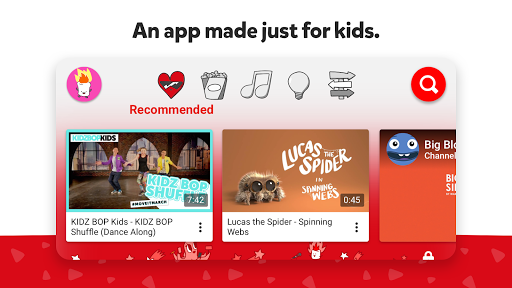
The YouTube Kids app has recently undergone some exciting updates to enhance your child's viewing experience and bolster parental peace of mind. New features allow parents to have greater control over content, ensuring that kids are engaged with educational and entertaining videos that match their interests and developmental stages. The improved interface streamlines the process of creating kid profiles, setting viewing preferences, and monitoring watch history. In addition to content curation, strides have been made in filtering mechanisms and review processes to enhance the safety of the viewing environment. Don't miss out on these features; download YouTube Kids for free today and experience the new upgrades by following the YouTube Kids installation process on Android or iOS.
1. **Customized Kid Profiles**: You can create up to eight unique kid profiles on one device, each tailored with specific viewing preferences and video recommendations. This feature allows each child in your household to explore their interests safely, whether they are fascinated with cartoons, science experiments, or music.
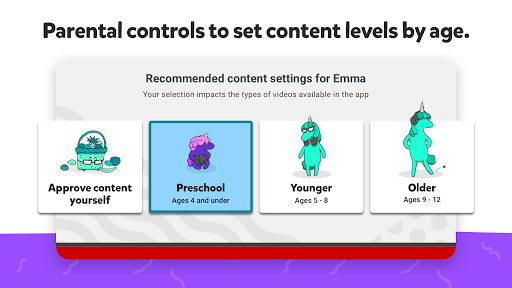
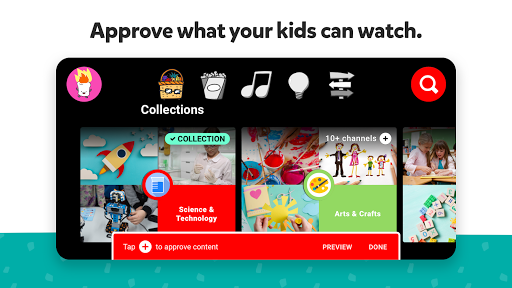
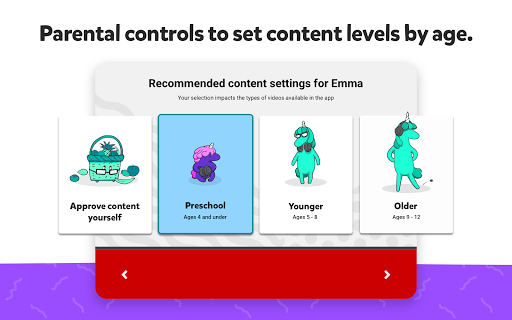
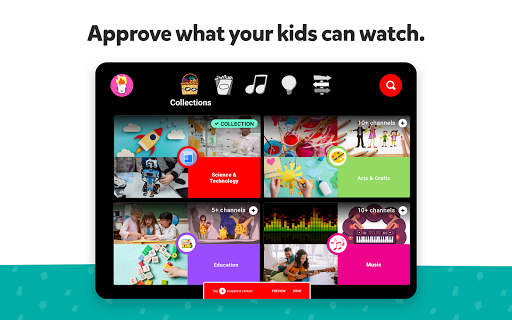
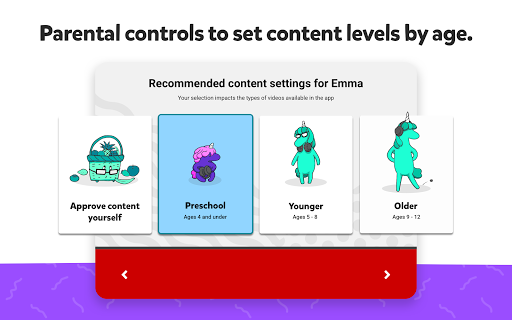
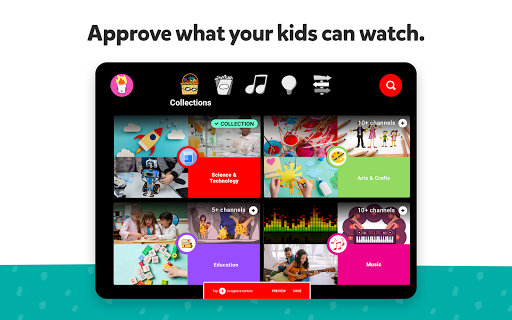
2. **Content Controls**: Choose the “Approved Content Only” mode if you want to handpick videos, channels, or collections your child can watch. Alternatively, select an age category: “Preschool” for kids aged 4 and under, “Younger” for ages 5-8, or “Older” for ages 9 and above. This ensures every child's content is age-appropriate.
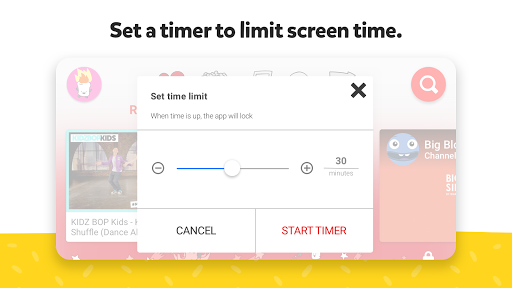
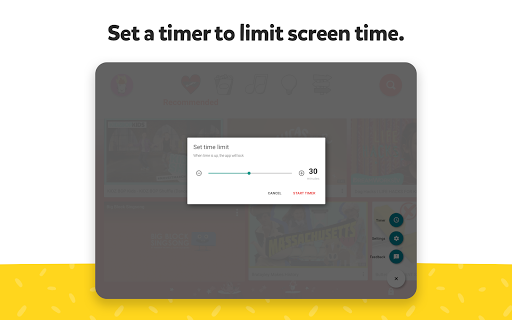
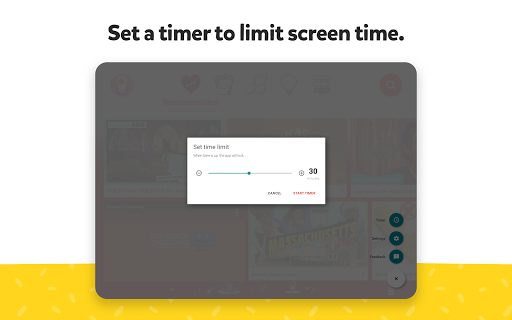
3. **Parental Time Limit**: With this feature, you can set a specific amount of screen time for your kids, helping manage their transition from screen time to playtime effectively.
4. **Content Monitoring and Blocking**: View your child’s watch history easily with the “Watch It Again” page and monitor their new interests. If a video doesn’t meet your approval, you can block it or the entire channel with ease, ensuring it won’t appear again.
5. **Robust Safety Features**: Videos are filtered using advanced automated systems, human review, and parent feedback to keep content family-friendly. However, should you encounter anything inappropriate, flagging and review processes are always working in the background to ensure 24/7 safe viewing.
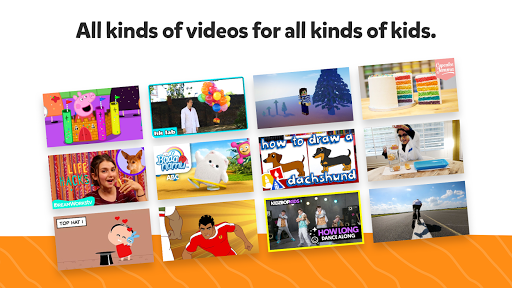
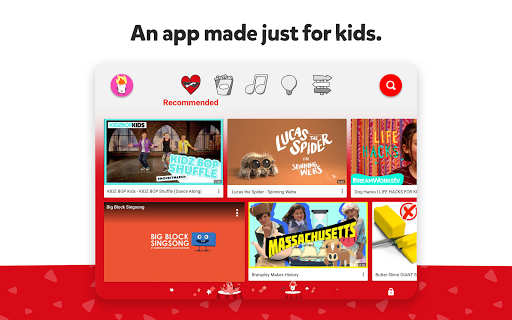
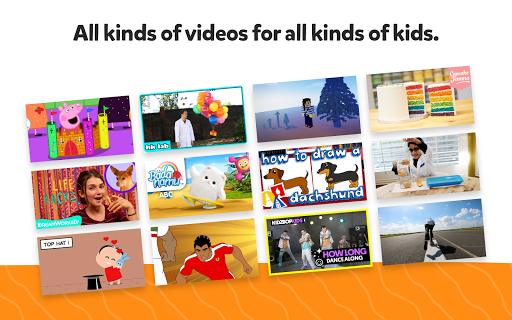
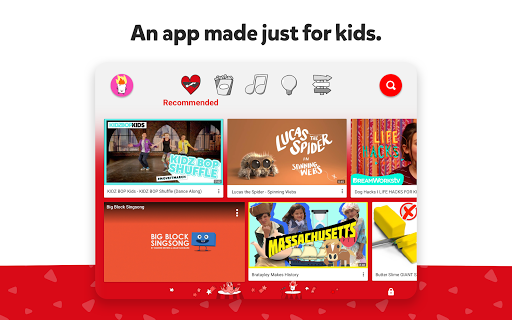
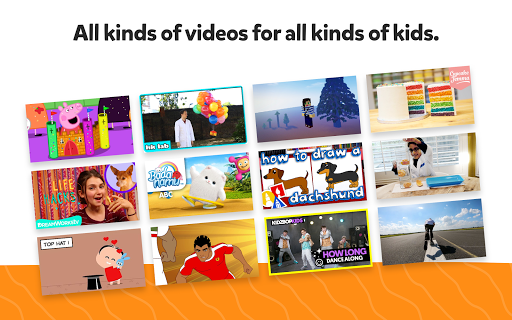
1. **Diverse Content Library**: The YouTube Kids app opens up a vast world of family-friendly content on various topics, igniting curiosity and creativity. From educational shows to entertaining cartoons, the platform covers an impressive range that caters to multiple interests.
2. **Enhanced Parental Controls**: The app provides robust controls, allowing parents to tailor the viewing experience and limit time spent on the platform, promoting a balanced digital diet.
3. **User-Friendly Design**: From profile creation to content selection, the app is designed for ease of use, allowing both parents and kids to navigate with confidence.
4. **Age-Appropriate Filtering**: The app supports three distinct user modes to accommodate different age groups—preschool, younger, and older kids—ensuring content is suitable and engaging.
5. **Continuous Improvement**: YouTube Kids regularly updates its platform, introducing new features and improving safety protocols to better serve and protect its young audience.
1. **Content Slips**: Despite stringent filtering, inappropriate content may occasionally appear, requiring parental vigilance and intervention.
2. **Commercial Influence**: Some videos feature commercial content from creators, which might not be immediately classified as ads, potentially influencing young audiences.
3. **Requires Parental Monitoring**: Parents need to be actively involved in setting up profiles and monitoring content to ensure the best experience.
As a parent, I have found the YouTube Kids app to be an excellent tool for engaging my child's curiosity while controlling the content he accesses. The ability to create separate profiles for each of my kids ensures that they are receiving content that is personalized and suitable for their respective ages. I particularly appreciate the “Approved Content Only” mode, which gives me peace of mind knowing that the content available has been pre-selected and screened.
Although no system is foolproof, the app's dedication to safety through sophisticated filtering systems and human oversight is commendable. The user-friendly design makes it easy to both navigate and manage settings, which not only benefits me but my kids as well. Most importantly, the array of content, from educational programming to fun music videos, keeps my children entertained and engaged in a productive manner.
The drawbacks, such as potential commercial exposure and occasional content slips, underscore the importance of parental involvement. Despite these challenges, the app’s continuous updates and commitment to providing a family-friendly environment make it an indispensable part of our digital toolkit. I highly recommend anyone interested in giving it a try by downloading YouTube Kids for free today on either their Android or iOS device.
1. **How do I download and install the YouTube Kids app?**
- You can download YouTube Kids from the Google Play Store for Android devices or the Apple App Store for iOS devices. Simply search for "YouTube Kids," click download, and follow the on-screen prompts to complete the installation.
2. **How can I create a profile for my child on the YouTube Kids app?**
- After you install YouTube Kids and perform the login YouTube Kids setup, you can create a kid profile by accessing the settings menu. Follow the instructions to customize viewing preferences for up to eight unique profiles.
3. **Is YouTube Kids app free to use?**
- Yes, the YouTube Kids app is free. However, it does contain videos with commercial content from creators that aren't classified as advertisements.
4. **What should I do if I find inappropriate content on YouTube Kids?**
- You can flag inappropriate videos directly within the app, triggering a review process by the YouTube Kids team. Flagged videos receive priority review to ensure child-friendly content standards are upheld.
5. **Can I limit how much time my child spends on the YouTube Kids app?**
- Yes, you can set time limits for your child's use of the app in the parental control settings, enabling you to regulate their screen time effectively.
6. **Does YouTube Kids require an Internet connection?**
- Yes, an internet connection is needed to stream videos. However, you can manage settings and profiles offline after the initial download.
With these FAQs and insights into the app, we hope this guide helps you navigate the features, pros, and cons of the YouTube Kids app confidently. Whether it's engaging your child with enriching content or managing what they watch, the YouTube Kids platform strives to provide a safe and enjoyable viewing experience.