ADVERTISEMENT


The Move to iOS app is a brilliant solution designed for users looking to transition from an Android device to an iPhone or iPad seamlessly. With a focus on simplicity and security, this app targets individuals who are switching platforms and want to ensure their valuable data is transferred without hassle. Whether you're a tech-savvy individual or someone less familiar with technology, the Move to iOS app makes the migration process straightforward and intuitive. This app caters to anyone ready to embrace the iOS ecosystem while retaining important personal information and content. 🚀
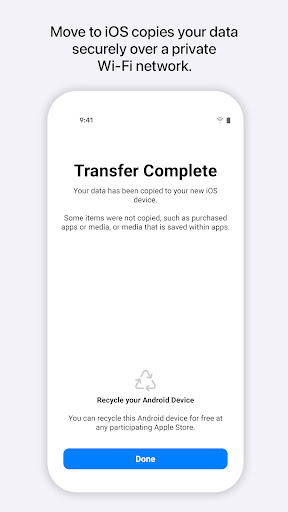
1. Secure Data Transfer: The Move to iOS app emphasizes security during the migration process. It creates a private Wi-Fi network that facilitates direct content transfer, ensuring that your data remains protected throughout the process.
2. Variety of Content Migration: Whether it's your contacts, calendars, photos, or even WhatsApp content, the app efficiently transfers a wide range of data types. Users can expect their important information to land in the right places effortlessly once the transfer is complete.
3. Simplicity in Usage: With just a few steps involved in downloading and setting up the Move to iOS app, users can migrate their information without needing extensive technical know-how. This ease of use makes the app appealing for those who prefer a simple transition.
4. Free to Use: The app is free to download, making it an accessible option for anyone switching from Android to iOS without worrying about additional costs. Users can simply download the Move to iOS app via the App Store or other platforms. 💡
1. Limited Optional Permissions: While the app allows the migration of various data, users might find the optional permissions confusing. Making these prompts clearer could enhance user experience as they navigate data transfer options.
2. Speed of Transfer: Some users have reported that the transfer can take a significant amount of time, especially with larger data sets. Improving the speed while maintaining security could make the app even more attractive to users.
3. APK Support: Currently, the app is primarily tailored for a certain version of Android and may not support all devices equally. Extending compatibility to a broader range of Android APKs could allow more users to take advantage of the Move to iOS app. 🔄
Many users appreciate the Move to iOS app for its seamless and secure transfer process. One user noted, "It made my switch from Android so easy! I was worried about losing my data, but everything transferred perfectly!" This sentiment highlights the app's effectiveness in delivering a smooth transition.
However, some users have expressed frustration, with comments like, "The transfer took longer than I expected, and I had to babysit my devices." This feedback points to the potential need for enhancements in transfer speed and user guidance during the process. Overall, user experiences seem to range widely, underscoring that while many find the app invaluable, others feel there is room for improvement. 🌟