ADVERTISEMENT


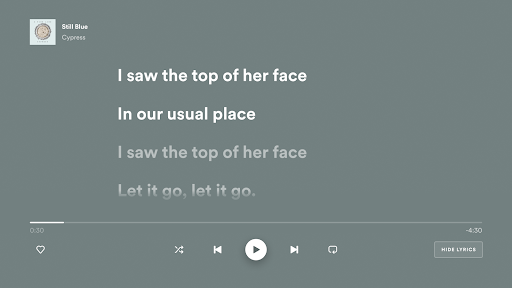
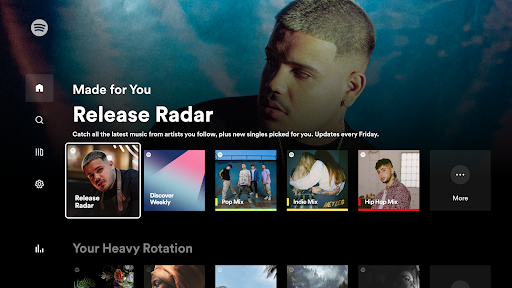
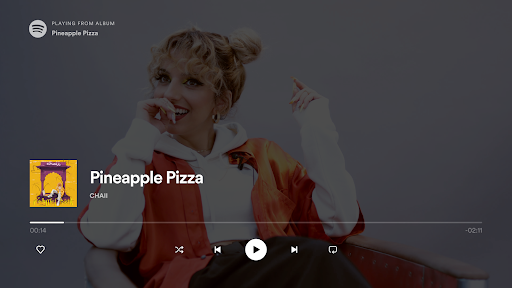
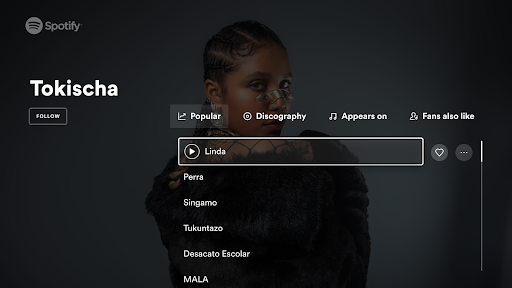
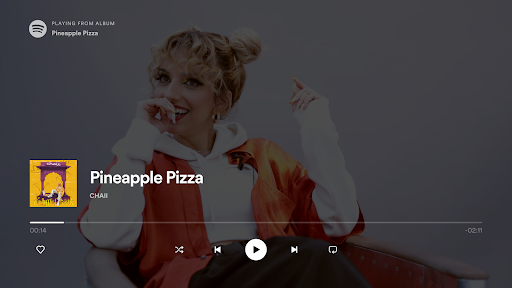
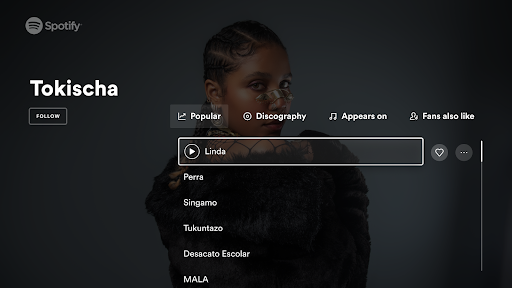
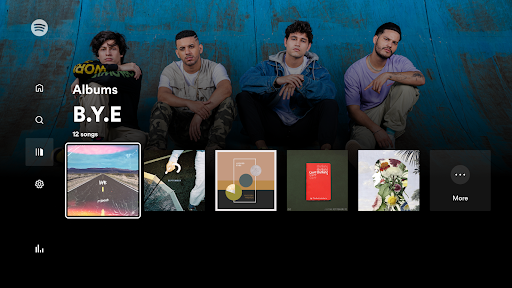
Spotify - Music and Podcasts app has recently introduced several exciting updates that enhance your music and podcast experience on the big screen. With Spotify on TV, accessing your favorite tunes and shows is more seamless than ever. The latest updates focus on improving navigation and playback control, allowing you to effortlessly flick through artist pages, albums, songs, and playlists right from your TV. You can now enjoy the breathtaking visuals of artist pages and album cover art in stunning TV-sized clarity, enriching the way you engage with content. Moreover, these updates have optimized Spotify Connect, ensuring that whether you’re controlling playback with your TV remote or through your phone or tablet, the transition is smooth and uninterrupted. Enhance your Spotify experience today with these new features!
1. **Get Your Music on the Big Screen, Free**: Enjoy the vast library of Spotify including millions of songs and podcasts free on your TV. Whether you’re a casual listener or a music enthusiast, access your favorite content easily without incurring additional costs. However, to enjoy an ad-free experience and unlock high-quality audio features, consider the Premium option.
2. **Enjoy Podcasts Too**: Spotify is renowned for its extensive collection not just of music but of podcasts as well. Dive into a wide array of podcast genres, from news and storytelling to learning and comedy, all available in the Spotify - Music and Podcasts apk.
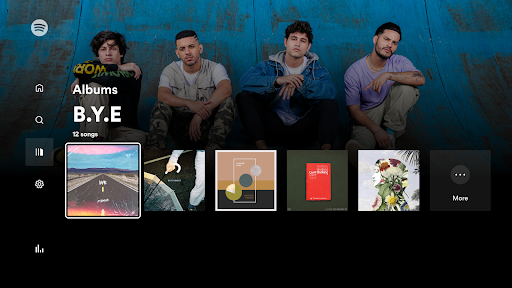
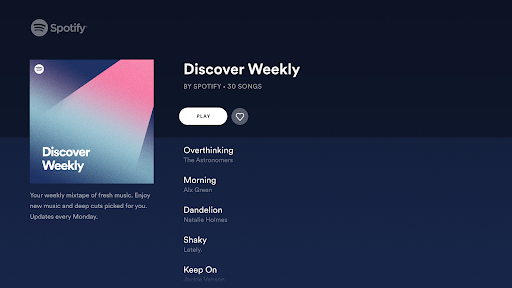
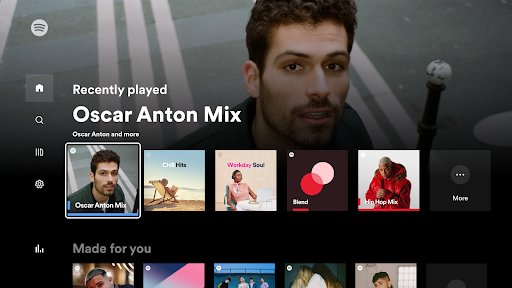
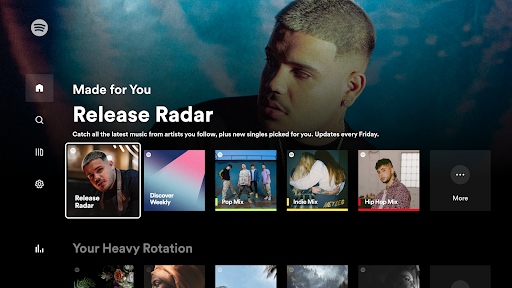
3. **Browse Artists, Albums, Songs, and Playlists**: The revamped navigation allows you to browse through artist pages, albums, and playlists with ease. Whether you're discovering new music or revisiting your favorites, the app’s interface ensures a smooth and intuitive experience.
4. **View Cover Art On-Screen**: Take advantage of your television’s big screen to enjoy beautiful artist pages and album covers. The enhanced visuals transform your TV into a digital art exhibit, bringing music artwork to life in stunning detail.
5. **Easy Control from Your TV Remote or With Spotify Connect**: Gain full control over your music listening experience. Whether you prefer using your TV remote or your smartphone/tablet with Spotify Connect, switching between devices is seamless and hassle-free.
1. **Versatile Compatibility**: The app is compatible with various TV models, as well as Android and iOS devices, allowing for flexible use across platforms.
2. **Free Access**: Users can enjoy the vast library of music and podcasts without any cost by downloading and installing the free Spotify - Music and Podcasts app. However, for those who prefer an ad-free experience, upgrading to Premium is always an option.
3. **User-Friendly Interface**: Spotify makes finding and enjoying music and podcasts easy with a well-organized interface, enabling users to flick through different categories effortlessly.
4. **Seamless Connectivity**: The integration with Spotify Connect ensures that users can smoothly transition control from mobile devices to TVs, making it easier to manage playback according to preference.
5. **Community Connection**: Spotify allows users to connect and share their music experiences. Follow Spotify on social media or participate in community discussions to stay updated and connect with other music lovers.
1. **Ads in Free Version**: The free version of the Spotify - Music and Podcasts app is supported by advertisements, which may interrupt the listening experience for users who do not subscribe to Premium.
2. **Varied Streaming Quality**: While the audio quality in the free version is satisfactory for casual listeners, audiophiles may find it lacking compared to the Premium version, which offers higher-quality audio.
3. **Limited Offline Access**: Accessing music offline is a feature reserved for Premium users, making it a disadvantage for those who rely on offline listening when on-the-go without a stable internet connection.
As a longtime user of the Spotify - Music and Podcasts app, I’ve found the experience on TV to exponentially elevate my music and podcast listening experience. The ability to view cover art on a big screen adds an unexpected yet delightful visual element to my sessions, making everything from albums to artist pages feel more immersive. One of the most striking advantages is the seamless connectivity provided by Spotify Connect, enabling a hassle-free transition between my phone and TV, which is particularly useful during parties or casual sit-downs with friends.
Despite minor drawbacks, such as advertisements interrupting the flow in the free version, the overall versatility and ease of use of the app make it a staple in my daily routine. Navigating through Spotify – whether through the app on my Android device or my TV – is always intuitive. I would recommend downloading the Spotify - Music and Podcasts app regardless of whether you choose to stick with the free version or upgrade to Premium. The wealth of content available ensures there’s always something new to enjoy.
1. **How can I download the Spotify - Music and Podcasts app?**
You can download the Spotify - Music and Podcasts app from the Google Play Store for Android devices or the Apple App Store for iOS devices. For TVs, it is generally available through your TV’s app store or marketplaces.
2. **Is there a way to listen to Spotify offline without Premium?**
Offline listening is a feature available exclusively for Spotify Premium users. Free users can stream music and podcasts with an internet connection.
3. **How do I log in to Spotify - Music and Podcasts on my TV?**
After installing Spotify - Music and Podcasts app on your TV, you can log in by either entering your Spotify credentials directly on the app or using Spotify Connect, which allows you to log in through your smartphone or tablet.
4. **Can I use Spotify Connect with any TV?**
Spotify Connect works with TVs that are connected to the same Wi-Fi network and have the Spotify - Music and Podcasts app installed. Compatibility may vary depending on your TV model.
5. **What should I do if Spotify is not playing on my TV?**
First, ensure that your TV is connected to the internet and that you have the Spotify - Music and Podcasts app installed. Restarting the app or your TV can sometimes resolve connectivity issues. If problems persist, checking Spotify’s support resources or forums can provide additional troubleshooting tips.
In conclusion, Spotify - Music and Podcasts app transforms how we experience audio content on larger screens, combining convenience and quality into one application. Whether you're a music enthusiast or a podcast aficionado, installing this app will not disappoint. Don't hesitate – download Spotify - Music and Podcasts today and immerse yourself in a richer sound experience.