background Layer 1 background Layer 1 background Layer 1 background Layer 1 background Layer 1

Pinterest

Pinterest

Pinterest

4.5

500M+

Downloads

14.13.0

Version
Pinterest
Developer
Download

ADVERTISEMENT

Additional Info

  • App Name
    Pinterest
  • Released On
    2026/04/06
  • Content Rating
    Mature 17+
  • Category
    Lifestyle
  • Rating
    4.5
  • Developer
    Pinterest

About Pinterest

Update

The Pinterest app, a widely loved platform for discovering and organizing ideas, has recently rolled out several exciting updates to enhance user experience. These updates are designed to make exploring billions of ideas even more seamless, inspiring users to turn their dreams into reality. With a refreshed interface, users can now enjoy a smoother and more intuitive navigation experience across various categories, from fashion and food to home decor and lifestyle.

One significant update is the enhanced image recognition feature, which allows users to search for similar items or ideas using just a photo. Additionally, Pinterest has introduced new collaboration tools for boards, making it easier for users to work together on projects or plan events by sharing ideas and organizing them collectively. Furthermore, the updated app now supports AR (Augmented Reality) technology, enabling users to visualize and interact with ideas and products in their real-world environment. These improvements make the free Pinterest app an indispensable tool for inspiration.

Features of Pinterest App

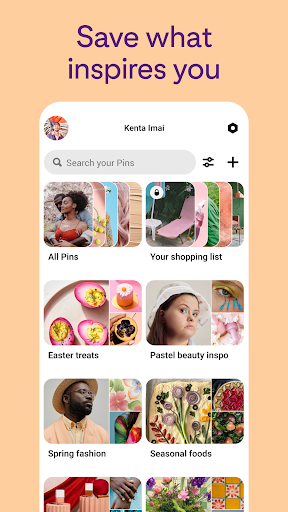
1. **Unlimited Idea Discovery**: The Pinterest app is a treasure trove of inspiration with billions of ideas at your fingertips. Whether you're planning a dream wardrobe, searching for recipes, or decorating your home, Pinterest offers endless possibilities to explore and save ideas tailored to your interests.

2. **Personalized Recommendations**: Pinterest leverages advanced algorithms to provide personalized content recommendations based on your activity and preferences. This ensures that users receive relevant ideas, making the experience unique and engaging each time they log in.

3. **Rich Pin Functionality**: Rich Pins provide more context about an idea by including additional information such as ingredients, product details, and directions. This feature enhances the content's value, allowing users to take informed actions directly from the app.

4. **Cross-Platform Synchronization**: With seamless integration across Android and iOS devices, the Pinterest app ensures cross-platform synchronization, allowing users to access their saved ideas and boards from any device by simply logging in.

5. **Visual Search Tool**: Pinterest's innovative visual search tool lets users find similar items or ideas using just an image. This feature is particularly useful when trying to locate a style or concept from a single photo, streamlining the search process.

Pros

1. **Vast Resource of Inspiration**: Pinterest excels as a source of inspiration across a wide range of topics, from fashion and beauty to home improvement and travel. It empowers users to discover new ideas and expand their creative horizons.

2. **User-Friendly Interface**: With its clean and intuitive layout, the Pinterest app is easy to navigate, whether you're a beginner or a seasoned user. The straightforward design enhances the overall user experience, making it simple to find and organize content.

3. **Collaborative Capabilities**: Pinterest's collaboration features allow users to share boards and ideas with friends, family, or colleagues. This fosters teamwork and creativity, making it easier to coordinate group projects or plan events.

4. **Robust Search Functionality**: The visual search and keyword-based search capabilities of Pinterest are robust, providing users with accurate and contextually relevant results, ensuring that users can efficiently locate specific ideas.

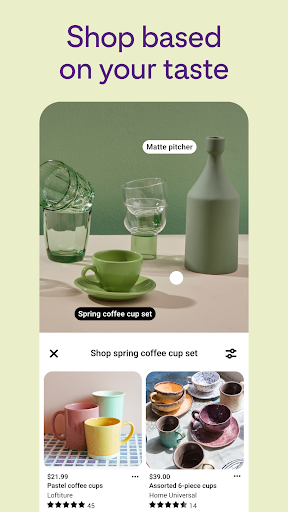
5. **Augmented Reality Support**: The integration of AR technology allows users to visualize products or ideas in their real-world environment, aiding in decision-making processes such as home decor arrangements or fashion choices.

Cons

1. **Data Usage and Battery Consumption**: The app's reliance on high-quality images and rich media content can lead to significant data usage and battery consumption, which may be challenging for users with limited mobile data plans or lower battery capacity.

2. **Overwhelming Volume of Content**: With its vast array of ideas and content, some users may find the sheer volume overwhelming, making it difficult to manage and prioritize ideas effectively without meticulous organization.

3. **Algorithm Limitations**: While Pinterest's recommendation algorithm is sophisticated, it is not without flaws. Occasionally, users may encounter less relevant suggestions or content that doesn't quite match their interests based on their previous activity.

Editor Review

As an avid enthusiast of discovering new ideas and creativity, I find the Pinterest app to be a remarkable tool that fosters inspiration like no other. The app's vast library of ideas in various domains means there's always something new to explore, whether I'm redecorating a room, seeking recipe ideas, or curating fashion looks. The intuitive interface makes navigation effortless, so even as a new user, I felt right at home.

One of my favorite features is the visual search tool, which has been incredibly beneficial when I've wanted to find similar styles or concepts from just a photo. It's as though the app understands exactly what I'm looking for without needing me to articulate it in words. Likewise, the addition of AR technology has enhanced my experience significantly, especially when visualizing furniture or decor in my living space.

On the flip side, I've noticed that the app can be quite demanding on both data usage and battery life, which is something to keep in mind for users who frequently browse while on the go. Additionally, managing the overwhelming volume of content can sometimes be a challenge, necessitating a more organized approach to curating and pinning ideas.

Overall, the Pinterest app offers a compelling blend of inspiration and creativity, making it indispensable for anyone looking to bring their ideas to life. Whether you're using Android or iOS, the app remains a beacon of creativity accessible through a simple login and installation or download.

FAQ

1. **How do I download and install Pinterest on my device?**

- You can download the Pinterest app from the Google Play Store for Android devices or the Apple App Store for iOS. Simply search for "Pinterest," click "Install," and follow the prompts to complete the installation.

2. **Is the Pinterest app free to use?**

- Yes, the Pinterest app is free to download and use. Some features, such as promoted content or certain integrations, may involve additional costs, but the core functionality remains free.

3. **How do I log in to Pinterest once I've installed the app?**

- After installation, open the Pinterest app and click on "Log in." Enter your email address and password associated with your Pinterest account. You can also log in using Facebook, Google, or Apple for a quicker login process.

4. **Can I use Pinterest without creating an account?**

- While browsing is limited without an account, you'll need to create an account or log in to access the full features, including saving, sharing, and organizing ideas.

5. **What should I do if I forget my Pinterest password?**

- If you've forgotten your password, click on "Forgot password?" on the login page. Enter your email address, and Pinterest will send instructions on how to reset your password. Follow the steps to regain access to your account.

Show More