ADVERTISEMENT


1. The United Airlines app is a comprehensive tool designed to cater to a traveler's needs from the initial stages of planning up until the day of travel.
2. This free United Airlines app offers a suite of functionalities that aim to streamline the experience of flying with United Airlines, directly from your mobile device, be it on iOS or Android platforms.
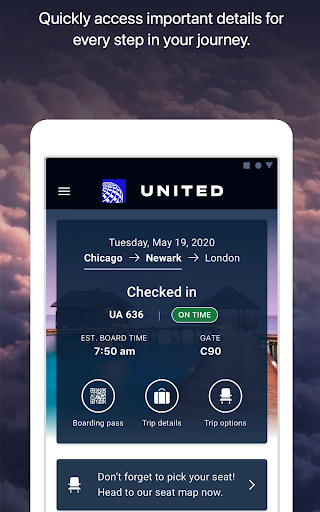
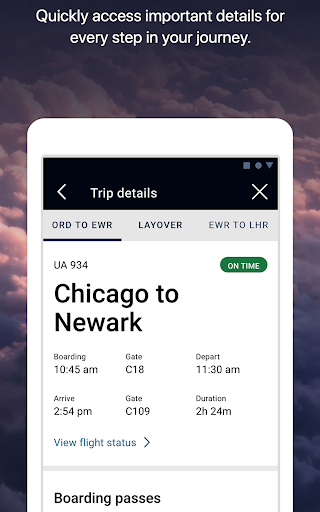
3. Whether you need to manage bookings for yourself or others, handle check-in and boarding passes, or ensure your travel details are in order, the app is intended to be your go-to travel assistant.
4. The convenience of this platform is aimed at enhancing the customer experience, with the bonus of managing MileagePlus accounts and using points for travel directly within the app.
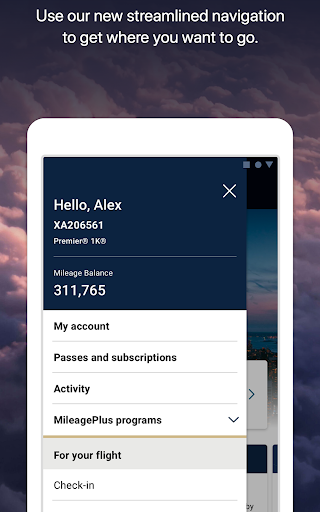
5. The United Airlines apk, easily accessible for download, promises to be a user-friendly interface that provides intuitive navigation and swift access to essential travel services.
1. To get started with the United Airlines app on your smartphone or tablet, first locate the app in your respective store - Google Play for Android users or the App Store for iOS.
2. Initiate the United Airlines download by tapping 'Install' for Android or 'Get' for iOS. Ensure a stable internet connection for a smooth downloading process.
3. Once the download is complete, the United Airlines installation will proceed automatically. Wait for the installation to finish—it should only take a few moments.
4. After installation, open the app and proceed to login United Airlines using your MileagePlus credentials, or create an account if you are a new user.
5. With the app installed and logged in, you can now access all the features the United Airlines mobile platform has to offer directly from the convenience of your device.
1. **Flight Searching and Booking**: The app allows you to search for flights across United's global network and seamlessly book tickets for yourself and others.
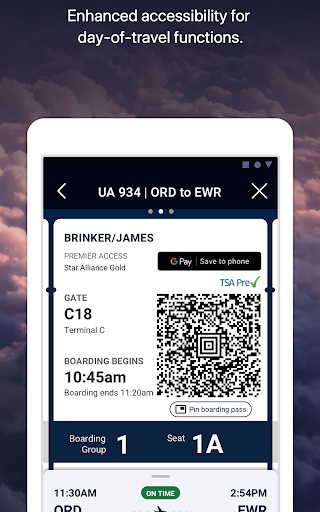
2. **Check-in and Boarding Pass**: Enables early check-in and provides a digital boarding pass to save time and hassle at the airport.
3. **Seat and Flight Changes**: Offers the flexibility to change seats or flights easily if a more desirable option arises.
4. **Travel-Ready Center**: A unique feature that helps ensure you have all necessary preparations in place before your travel date.
5. **Baggage Handling**: Add bags, make use of the bag drop shortcut, and track your baggage throughout your journey, providing peace of mind about the whereabouts of your belongings.
6. **Airport Navigation and In-Flight Services**: A built-in terminal guide helps you find your way through the airport, while the app also serves as an entertainment hub for movies and games, and can even be used to purchase snacks and beverages on board.
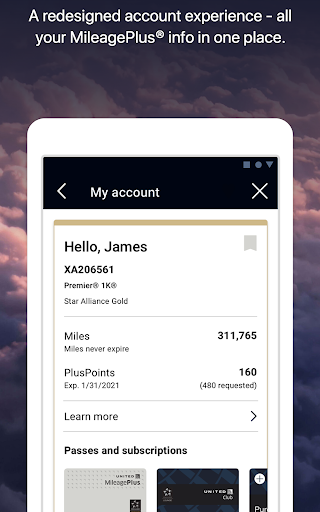
7. **MileagePlus Integration**: For members of United's loyalty program, the app allows for MileagePlus account management and the use of miles to book award travel.
8. **Customer Support Access**: If questions or issues arise, the app provides options to communicate with an agent via chat, text, or video call.
9. **Proactive Travel Solutions**: The app aids in making alternative arrangements for delayed or canceled flights, reducing stress and uncertainty during disruptions.
1. Q: Is the United Airlines app free to download and use?
A: Yes, the app is free to download and most of its features are available without any additional charge.
2. Q: Can I manage my MileagePlus account through the app?
A: Absolutely, the app includes full functionality to enroll, manage, and utilize your MileagePlus account and miles.
3. Q: How does the United Airlines app improve my travel experience?
A: From booking to airport navigation and in-flight entertainment, the app is designed to facilitate a smoother and more enjoyable travel experience.
4. Q: Can I still use the app if my flight is delayed or canceled?
A: The app provides options to figure out your next move, including rebooking and customer support services, to assist you in such scenarios.
5. Q: Is it possible to install United Airlines on both Android and iOS?
A: Yes, the United Airlines app is available for both Android and iOS devices and can be installed by following the steps for the respective platforms.
In conclusion, the United Airlines app emerges as an essential travel companion for passengers seeking convenience, control, and care while navigating their journey with United Airlines. From the ease of United Airlines apk download to the wealth of features it offers, this app aims to redefine the way travelers interact with their airline, making for a more connected and enjoyable flying experience.